
Schema Diff: Catch Drift Between Staging and Production
A practical guide for PostgreSQL and TimescaleDB
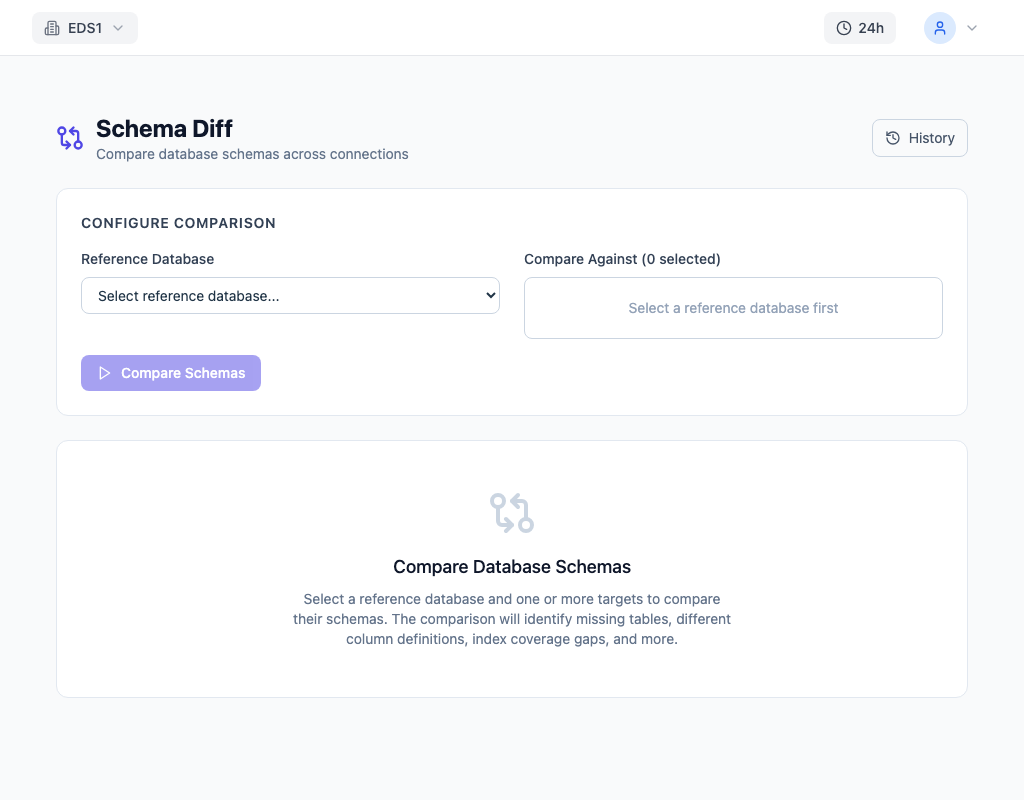
Schema Diff: Catch Drift Between Staging and Production
Every team I have worked with has experienced the same moment of dread: a production deployment fails, and the error message references a database object that should exist but does not. The migration history says it was applied. The staging environment has it. But production does not, because someone ran an ad-hoc ALTER TABLE three weeks ago and nobody documented it.
The Problem
A deployment fails in production because a migration expects a column that exists in staging but not production. Someone added it manually during debugging weeks ago and forgot to create a proper migration. Or the deployment succeeds, but a query starts failing because the index it depends on was only created in the staging environment. Or a constraint was dropped in production to fix a data issue and never re-added.
Schema drift between environments is one of those problems everyone accumulates and nobody actively monitors. Each drift is individually small — a missing column, a different default value, an index present in one environment but not the other. But they compound. By the time you discover them, it is during a deployment or an incident, when the cost of surprise is highest.
The drift is not always between staging and production. Replicas can drift from their primary if DDL is applied directly to one node. Development databases diverge as engineers apply ad-hoc changes. Even within a single environment, a failed migration that partially applied can leave the schema in an inconsistent state — half the tables have the new column, half do not.
Migration tools like Flyway, Liquibase, and Alembic track what migrations were applied, but they do not verify the actual schema matches the expected state. A migration marked as "applied" says nothing about whether someone later modified the schema by hand.
How to Detect It
Comparing schemas manually means querying information_schema on both databases and diffing the results. Start with tables and columns:
-- Compare columns between two schemas
-- Run on EACH database and diff the output
SELECT
    table_name,
    column_name,
    data_type,
    column_default,
    is_nullable,
    character_maximum_length
FROM information_schema.columns
WHERE table_schema = 'public'
ORDER BY table_name, ordinal_position;
Then indexes:
-- List all indexes with their definitions
SELECT
    tablename,
    indexname,
    indexdef
FROM pg_indexes
WHERE schemaname = 'public'
ORDER BY tablename, indexname;
Then constraints, functions, triggers, and sequences. Each object type requires its own query, its own export, and its own diff. For a schema with 50 tables, this is hundreds of rows to compare across six or more categories.
The deeper problem is that nobody does this proactively. Schema comparison is a reactive activity — you do it after something breaks, not before. The gap between "last time someone checked" and "now" is where drift accumulates undetected.
Why Migration History Is Not Enough
There is a common misconception that if your migration tool reports all migrations as applied, your schema is correct. This assumption breaks down in several ways:
- Manual hotfixes: Someone drops a constraint in production to unblock a data fix and forgets to re-add it.
- Partial failures: A migration applies half its statements before failing, leaving the schema in a mixed state.
- Environment-specific changes: An index created only in staging for development convenience, or a column added directly in production for a quick fix.
- Logical replication: DDL is not replicated by default. Publisher and subscriber schemas diverge silently.
The only reliable way to know your schema's actual state is to inspect it directly. Migration history tells you what should be there. Schema comparison tells you what is there. The delta between the two is your risk surface.
How to Fix It
Walk through the most common drift scenarios and their fixes:
Missing column — A column exists in staging but not production:
-- Add the missing column with a safe default
ALTER TABLE orders
    ADD COLUMN IF NOT EXISTS status_code integer DEFAULT 0;
Use IF NOT EXISTS (PostgreSQL 9.6+) so the statement is idempotent.
Different default value — The column exists in both environments but defaults differ:
-- Align the default value
ALTER TABLE orders
    ALTER COLUMN status_code SET DEFAULT 1;
Missing index — An index exists in production but not staging (or vice versa):
-- Create the missing index without blocking writes
CREATE INDEX CONCURRENTLY IF NOT EXISTS idx_orders_status_code
    ON orders (status_code);
Always use CONCURRENTLY in production. A regular CREATE INDEX takes a ShareLock on the table, blocking all inserts and updates until the index is built.
Missing constraint — A foreign key or check constraint was dropped or never created:
-- Re-add a missing foreign key constraint using NOT VALID for safety
ALTER TABLE order_items
    ADD CONSTRAINT fk_order_items_order_id
    FOREIGN KEY (order_id) REFERENCES orders (order_id)
    NOT VALID;

-- Validate existing rows separately (does not block writes)
ALTER TABLE order_items
    VALIDATE CONSTRAINT fk_order_items_order_id;
Using NOT VALID adds the constraint without scanning existing rows, then VALIDATE CONSTRAINT checks them separately without blocking writes.
How to Prevent It
Run schema diff as part of your deployment pipeline. Before applying migrations to production, compare the production schema against what your migration tool expects. This catches manual changes applied outside the migration system — the single most common source of drift.
Compare your primary against each replica periodically. Physical replication keeps schemas in sync, but logical replication does not — DDL is not replicated by default in logical replication setups.
Establish a monthly schema comparison between staging and production even when no deployment is planned. Drift accumulates in the gaps between deployments.
Treat schema as code, but verify the code matches reality. Migration history says what should have been applied. Schema diff tells you what actually exists. The gap between the two is where incidents start.